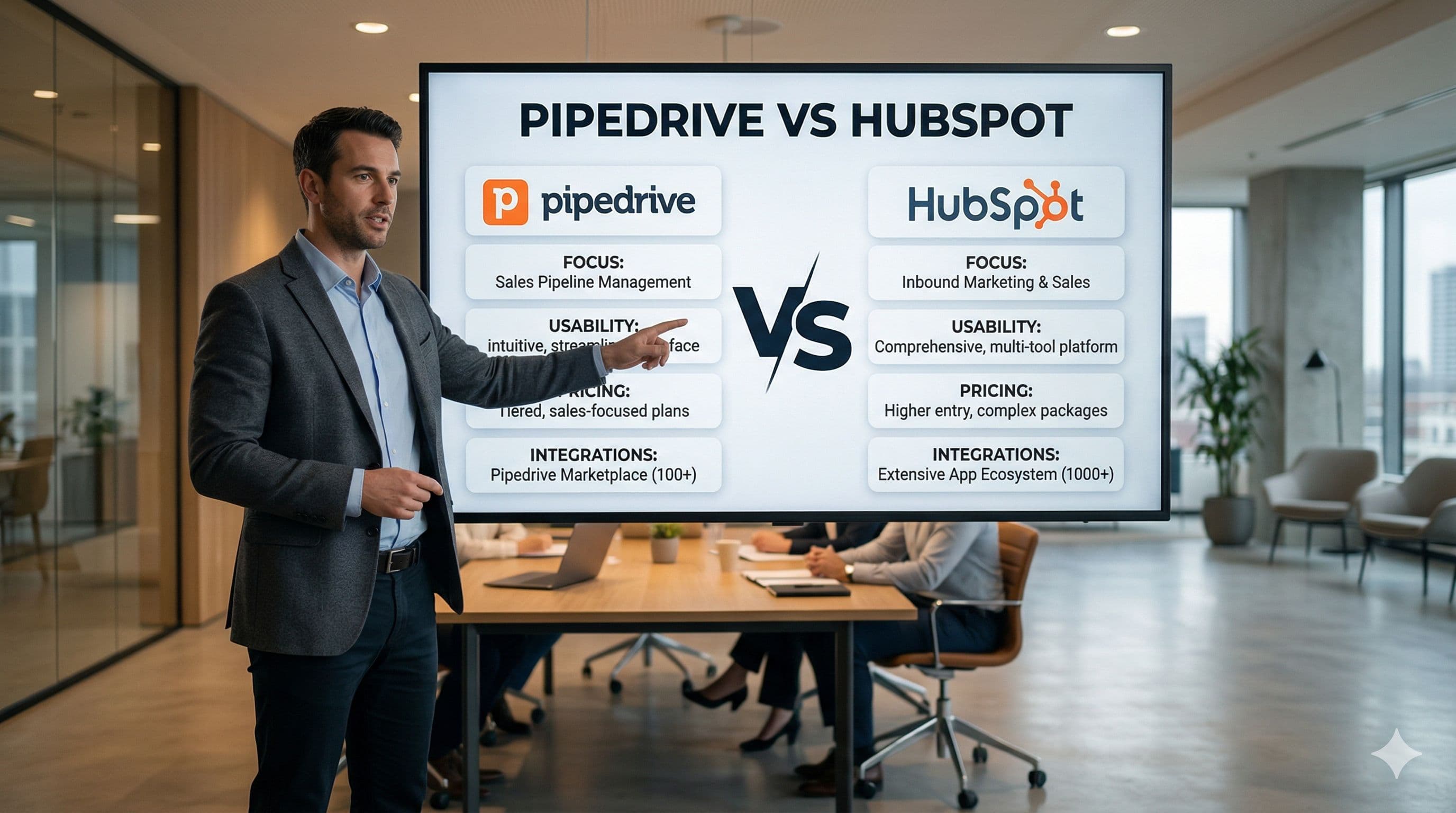
As a technical consultant and developer, the question I hear most often from business owners is: "Which CRM is better?"
My answer hasn't changed in 2026: "The best CRM is the one your team actually uses."
Pipedrive and HubSpot are two of the biggest names in CRM. But this comparison is less like "iPhone vs Android" and more like asking "Do you need a racing car, or a fleet of trucks?" Both are good tools; they serve different purposes.
This article covers the facts that matter to an SMB owner or sales manager: cost and day-to-day operations. For every feature, we state which plan includes it and what it costs, because "HubSpot has this" means little without the plan it comes in.
Disclosure: Dtech Bilişim is an authorized Pipedrive partner. That is why we also list, in a separate section, the cases where HubSpot is the better choice. Prices and plan details were taken from both companies' official pages on October 3, 2026, and may change.
1. Philosophy: Focus or All-in-One?
HubSpot (Marketing & Ecosystem): Built on an "all-in-one" philosophy. Emails, website, blog and support tickets live in one place. Users generally find the interface easy; still, feature overload and the learning curve are frequent complaints in G2 reviews.
Pipedrive (Sales Focus): The focus is clear: turn the deal on the table into an invoice. Thanks to the visual pipeline screen, a new sales rep can start working in the system within their first days.
G2 user ratings show this difference clearly: taking ease of setup and ease of use together, Pipedrive comes out ahead (G2 comparison, October 3, 2026).
My own experience as someone who uses both tools: HubSpot is not as intuitive as Pipedrive for a salesperson's daily work. In Pipedrive, the answers to "Who do I call today? What did I plan but not do?" are right there on the screen. Moving to HubSpot's Professional plan partly closes this gap, because the Sales Workspace and lead management start at that plan; but at that point the cost also rises to 90 USD per seat per month.
That is my view. The best approach is to try both tools with your own sales process and make your own assessment. One caveat: HubSpot's free plan does not include the Sales Workspace or lead management; to see them you need to start a 14-day trial of Sales Hub Professional. According to HubSpot, some features may be restricted during a trial (source). Pipedrive, on the other hand, can be tried for 30 days through Dtech's link.
2. Interface Language
If your sales team works in a language other than the major Western European ones, check this first.
- HubSpot's interface is available in 15 languages (HubSpot's language list). Turkish, for example, is not one of them; it is supported only for content creation and call transcription.
- Pipedrive's interface is available in more languages, including Turkish. The language lists on the two products' G2 pages show the same picture: 20 languages for Pipedrive, 8 for HubSpot Sales Hub.
A CRM that part of the team cannot use in their own language tends to go unused, and an unused CRM costs far more than its license fee.
3. The Real Cost: What Do You Pay in Year One?
HubSpot's free plan is a good starting point: free for up to 2 users. But the automation (workflows) a sales team needs is only available in HubSpot Sales Hub Professional and above (source). In Pipedrive, automation starts with the Growth plan (source). So the fair comparison is between the first plans that unlock automation.
3-person sales team, year one (USD):
| Pipedrive Growth | HubSpot Sales Hub Professional | |
|---|---|---|
| Per user per month (billed annually) | 39 | 90 |
| Per user per month (billed monthly) | 49 | 100 |
| Annual license, 3 users (billed annually) | 1,404 | 3,240 |
| One-time onboarding fee | None | 1,500 |
| Year-one total | 1,404 | 4,740 |
These are list prices; HubSpot runs promotional pricing from time to time, so check the current offer before you buy.
In year one, Pipedrive costs roughly one third of HubSpot Professional. In later years the gap narrows because there is no onboarding fee, but it remains: 1,404 vs 3,240 USD per year. For current Pipedrive prices, see our Pipedrive Pricing page.
The onboarding fee is required on Professional
HubSpot lists a one-time onboarding fee of 1,500 USD for Sales Hub Professional and 3,500 USD for Enterprise (HubSpot pricing guide). It is not optional: according to the FAQ on HubSpot's pricing page, Professional and Enterprise customers are required to purchase onboarding, while Starter customers are not (HubSpot pricing, "Do I need to buy onboarding?"). This fee covers guidance; HubSpot's own page points those who want the setup done for them to a separate HubSpot partner. So in HubSpot, onboarding is a separate line in the budget.
With Dtech and Pipedrive, initial configuration and team training are free on annual plans.
4. Lead Management: Which Plan?
Keeping prospects (leads) who have not yet become deals separate from your deals is the foundation of an organized sales process.
- HubSpot: Leads as a separate record type exist only in Sales Hub Professional and Enterprise (source). On the free and Starter plans, a lead is tracked through a field on the contact record.
- Pipedrive: The Leads Inbox is included in every plan, including the entry-level Lite plan.
5. Activity-Based Selling: "What Do I Do Today?"
You cannot control results, but you can manage activities. Pipedrive is built on this idea.
- Pipedrive: In the pipeline view, every deal without a scheduled next step is flagged with a yellow warning. Deals are ordered as follows: overdue and today's activities first, then deals with no activities, and future-dated ones last (source). Activity management and the calendar view are included in every plan, including Lite. The answer to "What did I plan, what did I miss, which deal did I forget?" is on the screen itself, with no separate report needed.
- HubSpot: The task list is available on every plan, with built-in "Due today", "Overdue" and "Upcoming" views (source). But tasks sit in a separate list. The Sales Workspace, which brings tasks, leads and deals together on one screen, requires Sales Hub Professional or above (source).
6. Automation: Complexity or Practicality?
If you only use a CRM as a data store, go back to Excel; it's cheaper. The real power of a CRM is automation that works while you sleep.
HubSpot's Approach: The workflows engine is powerful but requires a "programming mindset": enrollment triggers, if/then branches and the right filters. And as noted above, it requires Sales Hub Professional.
Pipedrive's Approach: Automations come with the Growth plan and above, and require no coding.
Example setup for the "Customer approves the proposal" scenario:
- Trigger: "Deal updated" → Condition: "Stage changed" → "Contract stage"
- Action – Immediate: "Create activity" → "Call the customer"
- Action – Integration: "Send Slack notification" → Select the sales manager
Pipedrive automations work with a salesperson's logic ("when this happens, do that"); HubSpot's work with a system administrator's logic.
7. Meeting Assistant and WhatsApp
AI meeting assistant (records, transcribes and summarizes calls):
- Pipedrive Nova: Joins Google Meet, Zoom and Microsoft Teams meetings; included on every plan at no extra cost. It builds the pre-meeting brief from the customer's CRM history and puts post-meeting field updates up for your approval. (More about Nova)
- HubSpot Notetaker: Works on the same three platforms; available in Sales or Service Hub Starter and above; Starter costs 20 USD per user per month billed monthly (October 2026, with a separate promotional price for new customers). It is not in the free plan (source).
WhatsApp:
- Pipedrive: Built in from the Growth plan; currently in beta, and requires a Meta business account and a WhatsApp Business account (source).
- HubSpot: Not included with Sales Hub alone; requires Marketing Hub or Service Hub Professional or above (source).
8. What Users Say: G2, Capterra and Trustpilot
On G2, both products are highly rated: HubSpot Sales Hub 4.4 (14,347 reviews), Pipedrive 4.3 (5,048 reviews). In the sub-ratings, HubSpot leads on quality of support (8.6 vs 8.4) and Pipedrive leads on ease of setup (8.7 vs 8.3); they are tied on ease of use and ease of admin. According to G2's own review summary, the most common complaint about HubSpot is that costs rise quickly as the team grows and advanced features are tied to higher plans. The same summary notes that some of Pipedrive's advanced features are also limited to higher tiers.
Capterra shows a similar picture: both products are rated 4.5 (HubSpot, Pipedrive). The summary compiled from user reviews highlights "high and complex pricing structure" for HubSpot and "minimal learning curve" for Pipedrive. On Pipedrive's negative side, limited advanced reporting stands out.
On Trustpilot, HubSpot is rated 1.5 and Pipedrive 4.4 (October 3, 2026). But comparing these scores alone is not fair: Pipedrive has managed its profile since 2015 and has a paid Trustpilot subscription, while HubSpot has not invited reviews recently. Invited reviews skew positive; unsolicited reviews skew negative.
A fairer measure is how each company responds to complaints, which Trustpilot measures the same way for both:
| Pipedrive | HubSpot | |
|---|---|---|
| Replies to negative reviews | All of them (100%) | Has not replied |
| Reply time | Typically within 48 hours | — |
Replying is not the same as solving the problem, but it shows whether complaints are being heard.
HubSpot responds in its own channel: questions get answered in the HubSpot Community forum, where HubSpot staff take part. Its G2 support quality rating is also slightly higher than Pipedrive's (8.6 vs 8.4). But that forum is a space HubSpot manages itself. On platforms independent of the company, such as Trustpilot and Capterra, negative reviews go unanswered: no replies on Trustpilot, and none of the 25 most helpful reviews on Capterra has a reply. Pipedrive replies on both platforms; on Capterra, to 24 of the same 25 reviews. In my view, whether a company responds to complaints on an independent platform says a lot about its relationship with its customers.
9. Scenario: A 3-Person Team
Picture a 3-person boutique consulting firm: John (founder/sales), Sarah (operations) and Mark (marketing).
HubSpot scenario: Mark builds forms with the free tools. But when John says "If a customer doesn't respond to a proposal, open a call task automatically after 5 days", automation is needed. That means Sales Hub Professional: 270 USD per month for 3 seats (billed annually) plus a one-time 1,500 USD onboarding fee.
Pipedrive scenario: John chooses Pipedrive's Growth plan.
- When a deal moves to the "Proposal sent" stage, John automatically receives an email.
- Sarah is automatically assigned a call task for 5 days later.
- All of this costs 117 USD per month (billed annually); the first-year total is roughly one third of HubSpot Professional. The remaining budget goes into finding new customers.
10. Local Integrations
Connecting your CRM to local accounting software is an often-overlooked part of choosing a CRM. In Turkey, Dtech connects Pipedrive to Paraşüt and Dia:
- When a deal is marked "Won", the data flows into your accounting software and a draft invoice is created.
- The sales team is freed from invoicing chores and can focus on selling.
The Verdict: Who Should Choose Which?
There is no single winner in this comparison, only what your business needs.
Choose HubSpot if:
- You already run your marketing in HubSpot (Marketing Hub) and want everything from email clicks to sales connected in one system.
- You have a dedicated marketing department and a large budget for an inbound marketing setup.
- Your team is comfortable working in one of HubSpot's interface languages.
- You are a 1–2 person team with no need for automation yet; the free plan is a good start.
Choose Pipedrive if:
- Your focus is active selling and managing the team's daily activities clearly.
- You want your team to use the system in a wider range of languages, including Turkish.
- You want automation, lead management and a meeting assistant without an onboarding fee and at a reasonable license cost.
Chose Pipedrive and need a hand with the setup? As an Authorized Pipedrive Partner, we work as your Pipedrive consultant: pipeline design, automations, integrations and team training.
🚀Try Pipedrive free for 30 days with Dtech — double the standard 14-day trial.
Start Your 30-Day Trial🗓️Let's map your personalised roadmap in a free 30-minute strategy call.
Book a Free Call📈How mature is your sales process? Get a personalised report in 3 minutes.
Take the Sales Maturity TestFound this useful? Share it with your team.